Invite new members to your organization
In the Monil app, you can invite members whom you want to have access to your organisation. They do not need to use your email to log in; they can create their own accounts, and you can invite them into your organization.
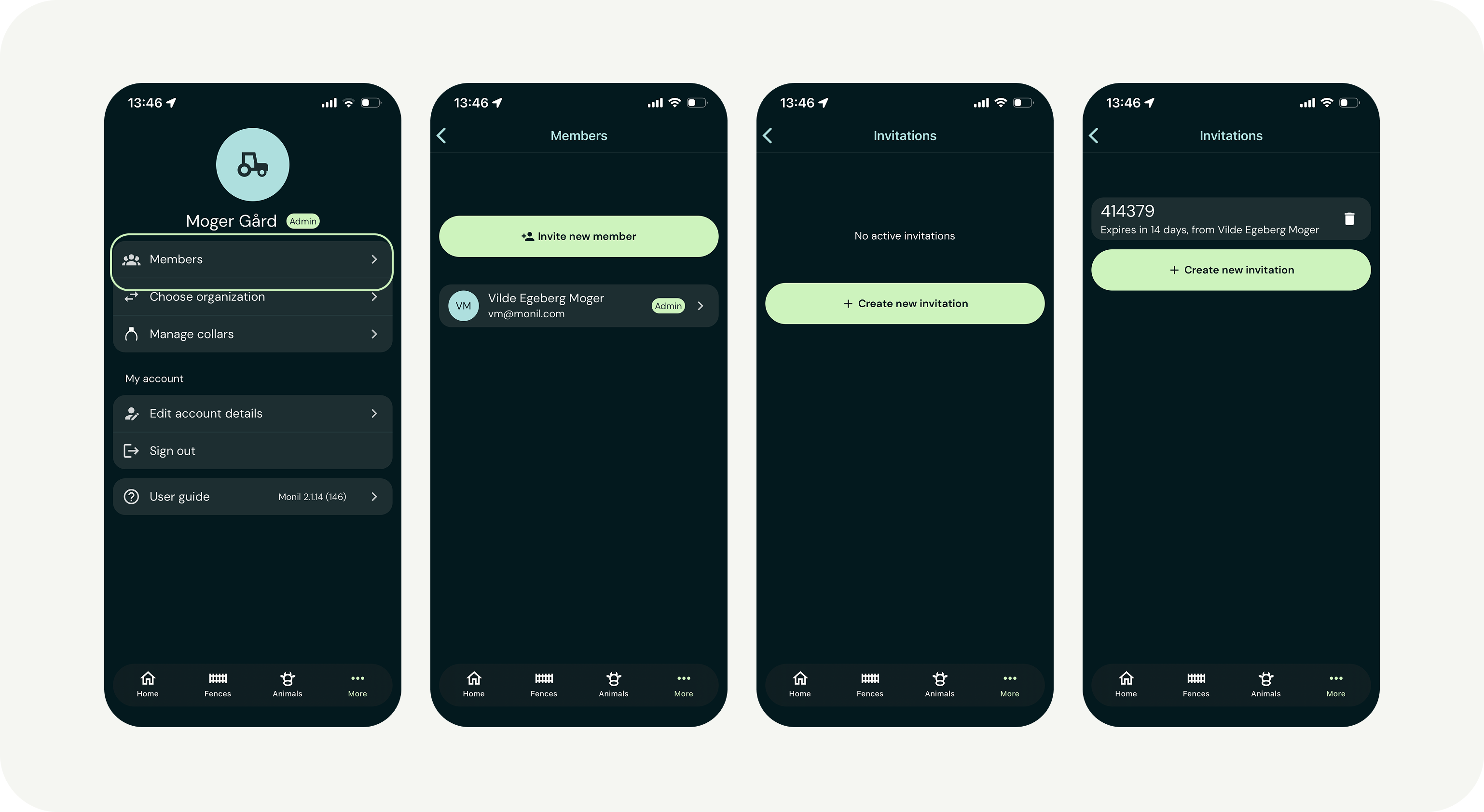
Inviting someone to your organization
- Tap “More” in the bottom right corner of the app.
- Select “Members.”
- Tap “Invite new member” and then “Create new invitation.”
- Share the invitation code with the person you want to grant access.
If you are invited to join an organization
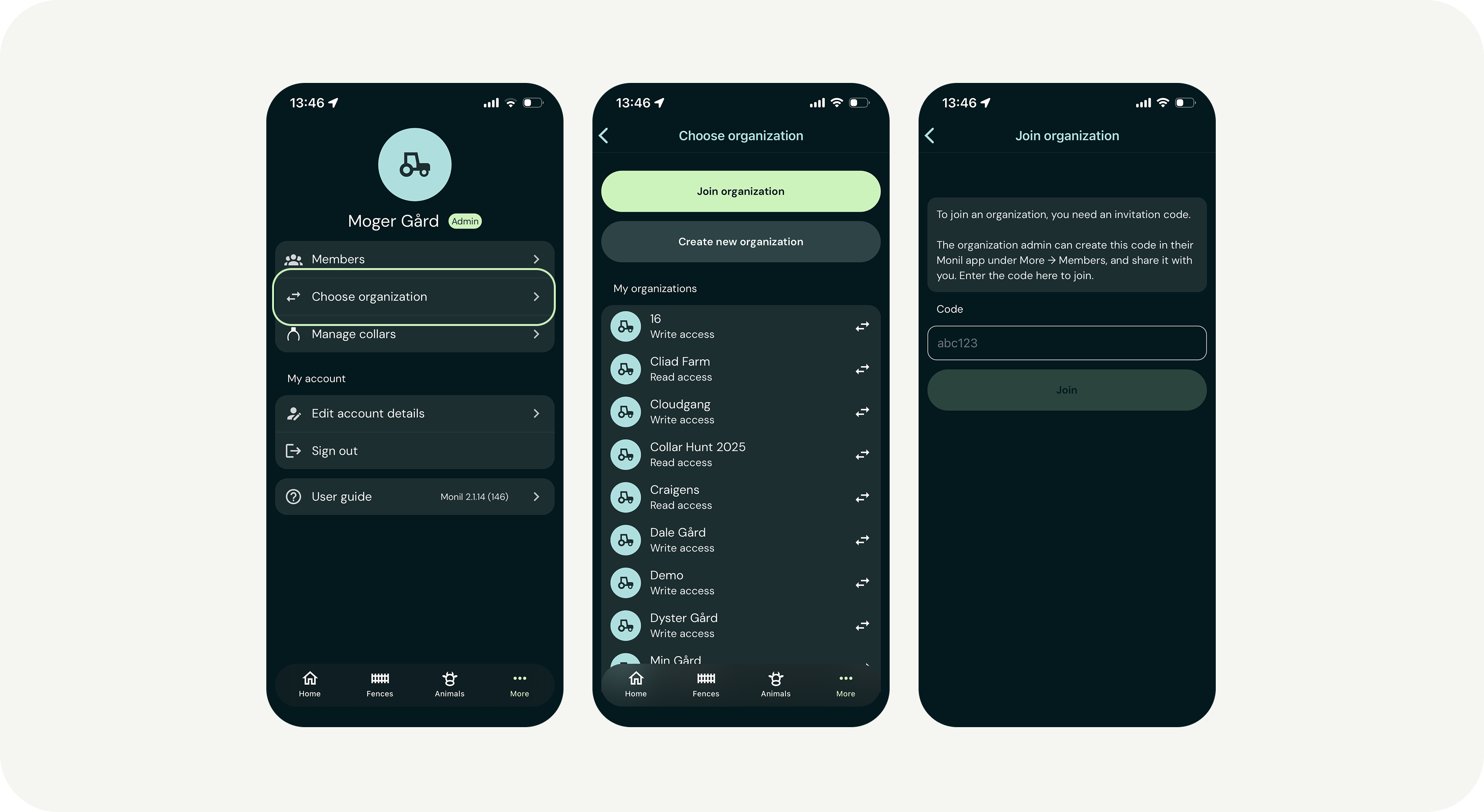
- Download the app and create your own user account.
- In the app, tap “More” → “Choose organization” → “Join organization.”
- Enter the invitation code you received.
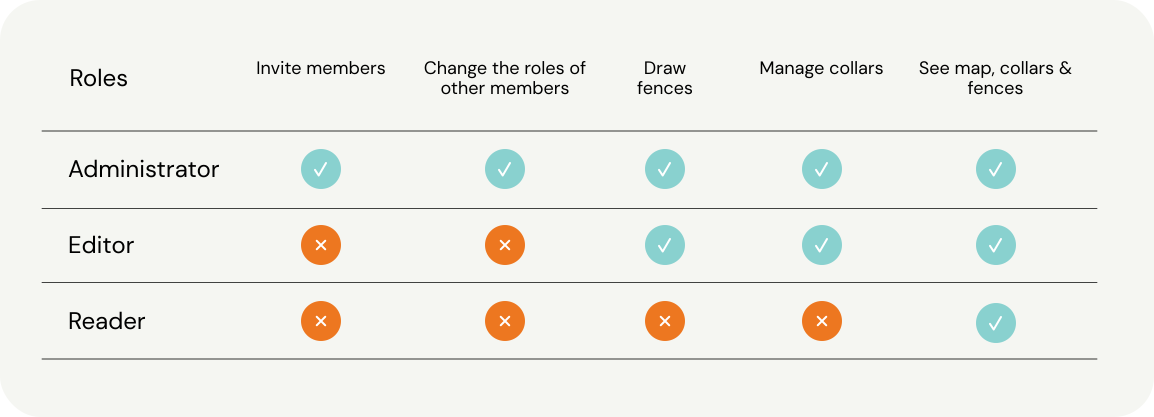
Description of the roles in the app